The answer — one pick, priced
Get the
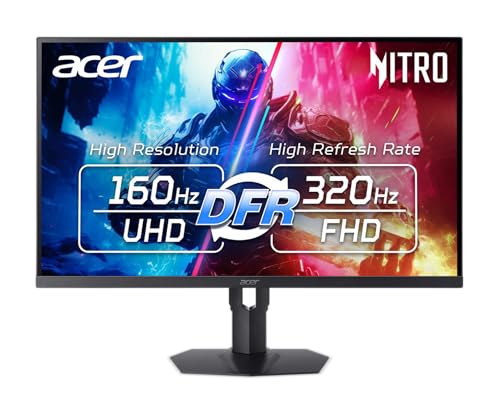
Acer Nitro XV325QK V3
$100 under the $500 cap
The one panel here that does both jobs — 1152 mini-LED zones at DisplayHDR 1000 for HDR games, and 99% DCI-P3 / 99% Adobe RGB for colour work, on 31.5 inches of 4K.
Fit ledger — need → measured evidence
■ The catch — co-equal billing, always
31.5 inches of 4K asks for desk depth and a graphics card. A 32-inch panel wants roughly three feet of viewing distance before you stop turning your head, and 4K at 160Hz needs DP 1.4 with DSC or a full 48 Gbps HDMI 2.1 port plus roughly an RTX 4070 / RX 7800 XT to actually drive it. There is no USB-C either, so nothing docks or charges here.
Dealbreaker? Runner-up №1 is the same 4K 160Hz at 27 inches for $29 less ↓
■ Every product has a catch. Verdicts that hide it are how bad buys happen.
Don't buy this if…
- you need a monitor over $500 (32-inch 4K OLED, colour-critical reference display, 5K)OLED monitor verdict →
- you specifically want an ultrawide or super-ultrawide gaming monitorUltrawide gaming monitor verdict →
- you need a portable monitor for laptop or travel usePortable monitor verdict →
- budget is under $300 and the use is gaming onlyBudget gaming monitor verdict →
Wrong product for you is still a bad buy. These are the cases where we'd send you somewhere else.
Runners-up — if your needs differ


Adjacent verdicts — other needs, same method
Different budget, different household, different job — each of these is already researched, priced and verified. Take the one that matches your need.
Traps — this verdict avoids
Why the Acer Nitro XV325QK V3 is right for you
It avoids every trap below — and for anyone, up to $500, it is the pick because it delivers:
The suffix is the monitor
One character changes the panel. Dell S2725QC is 4K with USB-C, S2725QS is the same 4K panel without it, S2725DC is 1440p. Acer's XV325QK V3 has the mini-LED backlight; the plain XV325QK has none. Gigabyte sells M27Q, M27Q X and M27Q P. Confirm the full model string on the listing, not the family name.
"HDR Ready" is not HDR
A label without VESA certification or dimming zones does nothing — the Gigabyte M27Q X and AOC CU34G4H both carry one. DisplayHDR 400 on an IPS panel with no local dimming is SDR with a metadata tag. Real HDR here means DisplayHDR 1000/1400 with mini-LED zones, or True Black 400 on OLED — and zone count decides blooming: 336 vs 1152 is a visible difference.
The port has to carry the number
The advertised spec is a cable spec. The AOC CU34G4H hits 200Hz only over DisplayPort — its HDMI inputs cap at 100Hz at 3440×1440. 4K at 160Hz needs DP 1.4 with DSC or a full 48 Gbps HDMI 2.1 port, plus roughly an RTX 4070 / RX 7800 XT to feed it. And USB-C on these picks runs 15W to 96W — only 60W+ charges a laptop.
Provenance — 8 sources, dated
Winners are picked from the full research dossier at knowledgelib.io. Prices, stock and listings are re-verified monthly.