The answer — one pick, priced
Get the
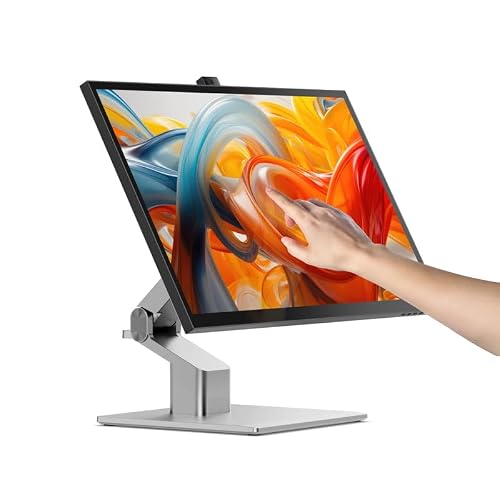
ViewSonic TD2455
No budget ceiling
The one desktop pick that folds down to podium mode with a pen magneted to its base — built to be swivelled round and written on, which is what a desk two people share actually needs.

Fit ledger — need → measured evidence
■ The catch — co-equal billing, always
The pen has no pressure sensitivity, and you are paying $50 over the better monitor. It is a passive capacitive stylus for annotating and signing, not for drawing — nothing here senses pressure except the ALOGIC. And at $400 this is the priciest 24-inch panel in the comparison while delivering 60W against the Dell's 90W, with no Ethernet. Buy it for the podium hinge and the bundled pen, or do not buy it at all.
Dealbreaker? Runner-up №1 is $50 cheaper with 90W and Ethernet ↓
■ Every product has a catch. Verdicts that hide it are how bad buys happen.
Don't buy this if…
- you need a pen display for digital art with pressure sensitivity
- you need a high-refresh-rate gaming monitorHigh refresh rate monitor verdict →
- you want a portable second screen and do not need touchPortable monitor verdict →
Wrong product for you is still a bad buy. These are the cases where we'd send you somewhere else.
Runners-up — if your needs differ


Adjacent verdicts — other needs, same method
Different budget, different household, different job — each of these is already researched, priced and verified. Take the one that matches your need.
Traps — this verdict avoids
Why the ViewSonic TD2455 is right for you
It avoids every trap below — and for two, no cap, it is the pick because it delivers:
A touchscreen is not a pen display
All nine panels here use 10-point capacitive touch with no pressure sensing and no tilt. Only the ALOGIC Clarity Fold Touch accepts a pressure-sensitive stylus — MPP 2.0, 4096 levels — and that pen is sold separately. The pens bundled with the ViewSonic TD2455 and TD1655 are passive annotation pens: fine for signing, useless for drawing. If pressure is core to your work, buy a Cintiq or an XPPen Artist, not any of these.
macOS cannot do this
macOS has no native touch support for external displays, full stop. Exactly two sanctioned routes exist in this comparison: ViewSonic's vTouch software on the TD1655, and ALOGIC's own Mac driver. Everything else needs unsupported third-party drivers that break on macOS updates. macOS also has never supported DisplayPort MST, so the daisy-chain feature on the ASUS BE24ECSBT and ViewSonic TD2455 does nothing on a Mac.
The wattage nobody checks
Power delivery is the spec buyers get wrong most often, and these span 0W to 90W. The HP E24t G5 runs touch over a USB-B upstream cable and supplies no power at all — it can never replace a dock. The Dell P2424HT does 90W, the ASUS BE24ECSBT 80W, the ALOGIC and Lenovo 65W, the ViewSonics 60W. Match the number to your laptop's charger before you plan a single-cable desk.
Provenance — 13 sources, dated
Winners are picked from the full research dossier at knowledgelib.io. Prices, stock and listings are re-verified monthly.